Sadan
It tells you what to lift next.
And shows you why.
Sadan reads what you actually lifted and proposes the next session from it — a weight, a rep target, a lift that has stopped moving. The evidence behind every suggestion is right there, and you can overrule any of it.
Hebrew for “anvil.” Pronounced sah-DAHN.
The Android beta is running now, invite only, with everything unlocked. The iPhone version is coming soon to the App Store.
01 Strike
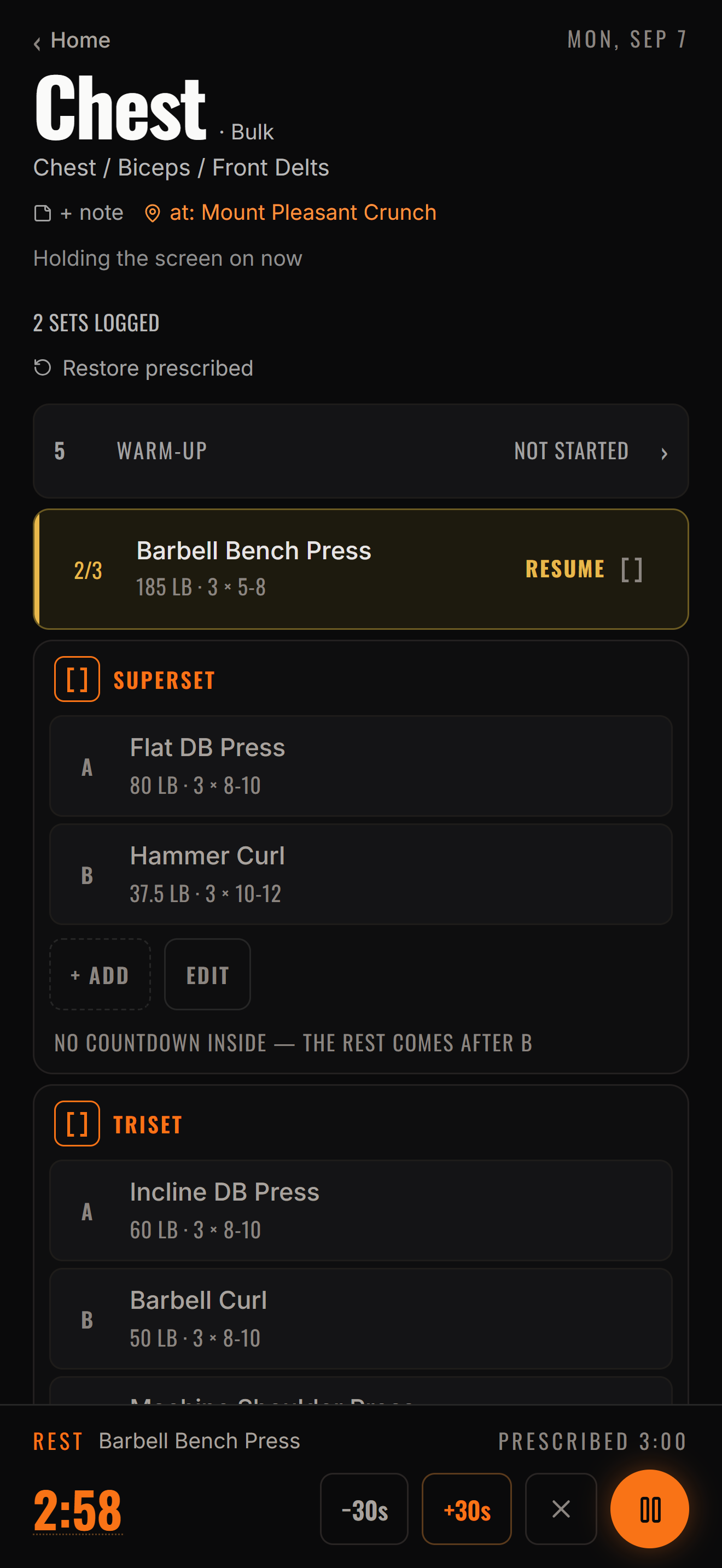
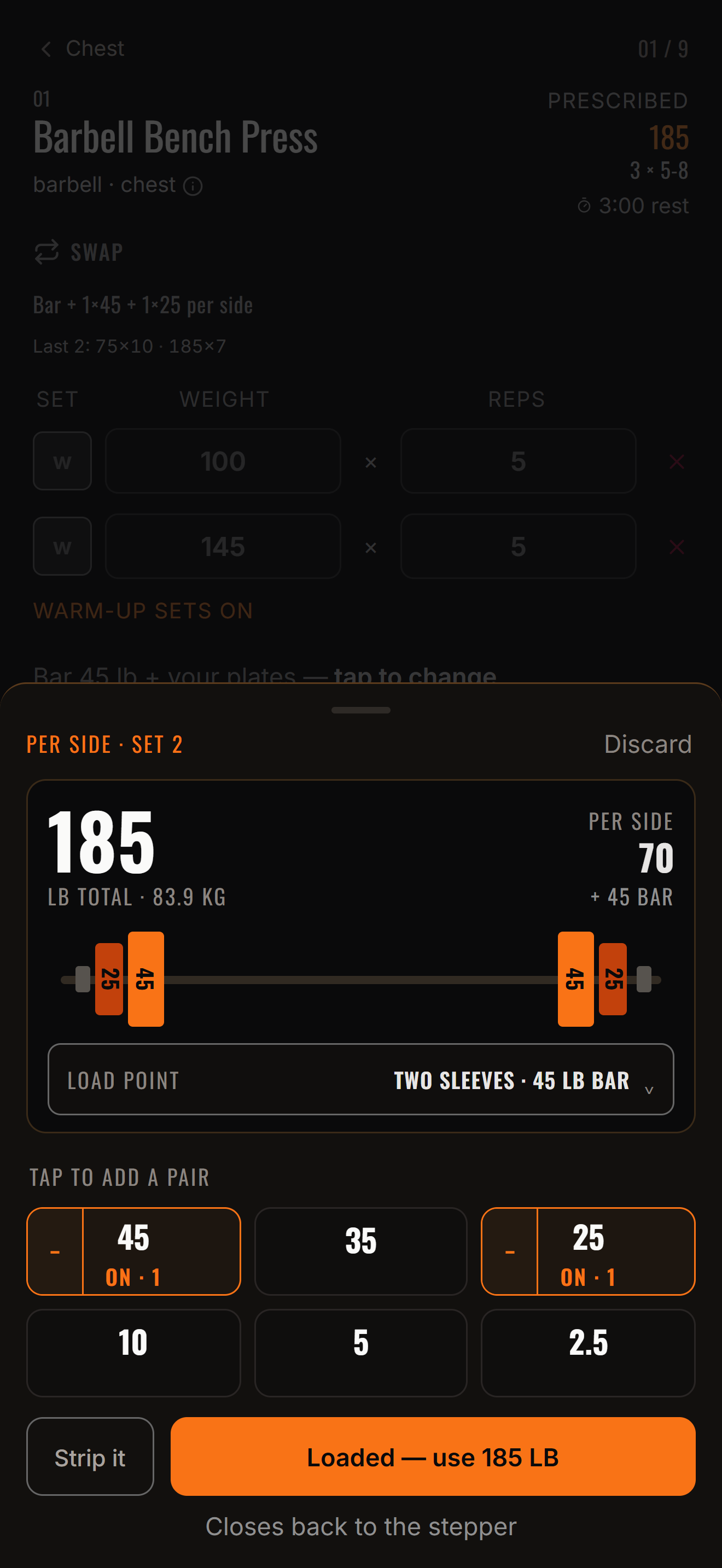
Log the set you just did
Weight, reps, how hard it felt. The screen is always about the set you just did — no forms to fill out between rounds, no fighting a timer to get a number in.
You are the hammer. The bar is the anvil. Sadan doesn't swing it for you. It waits until the blow has landed, then it looks at the steel.
02 Recover
Most logging apps hold your numbers. This one reads them.
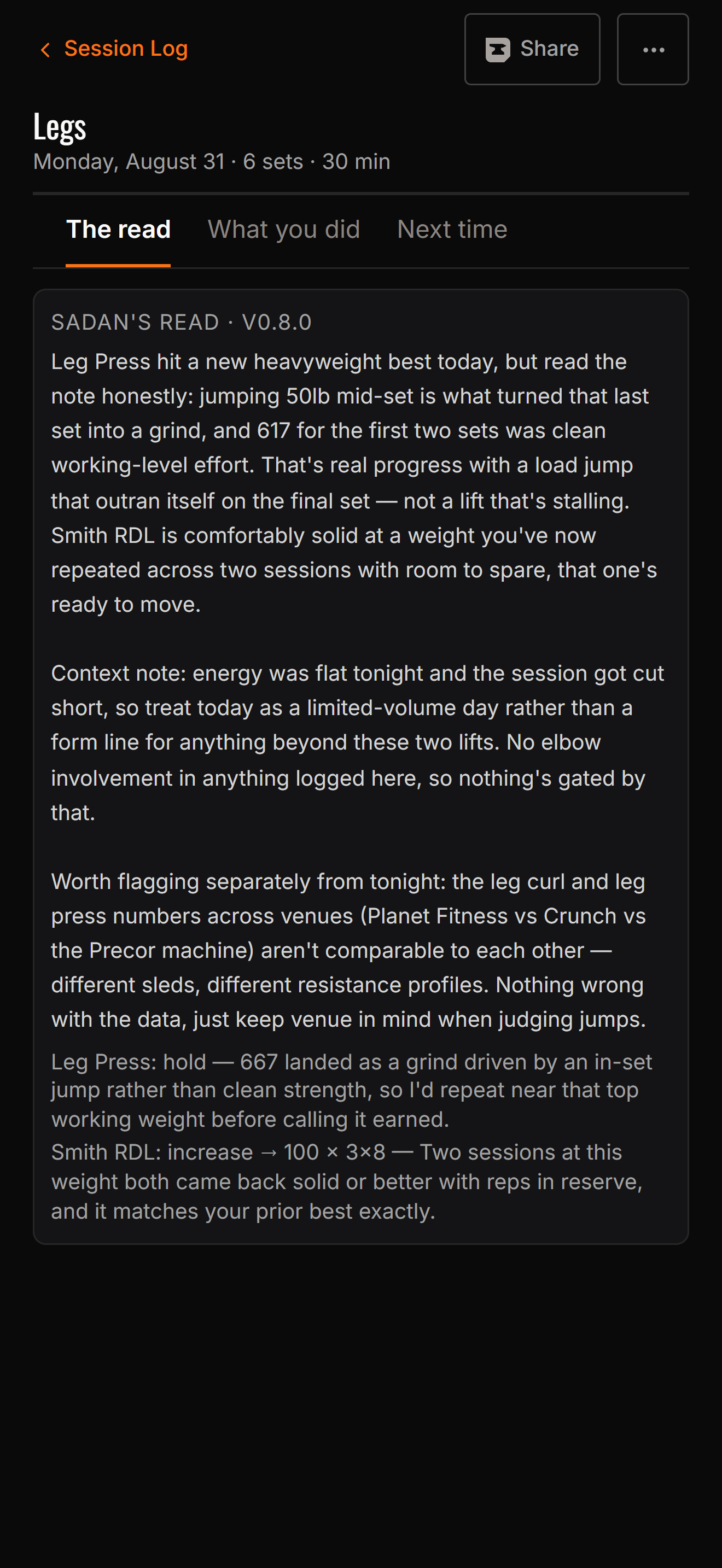
At the end of the session Sadan reads that record and makes a case: add weight, hold here, or back off. One sentence, with its reasoning in plain language.
It knows the difference between a hard session and a bad one. A grind at your target weight is information, not a failure. A poor night's sleep explains a weak day, and the plan shouldn't be cut because of it.
The numbers behind it
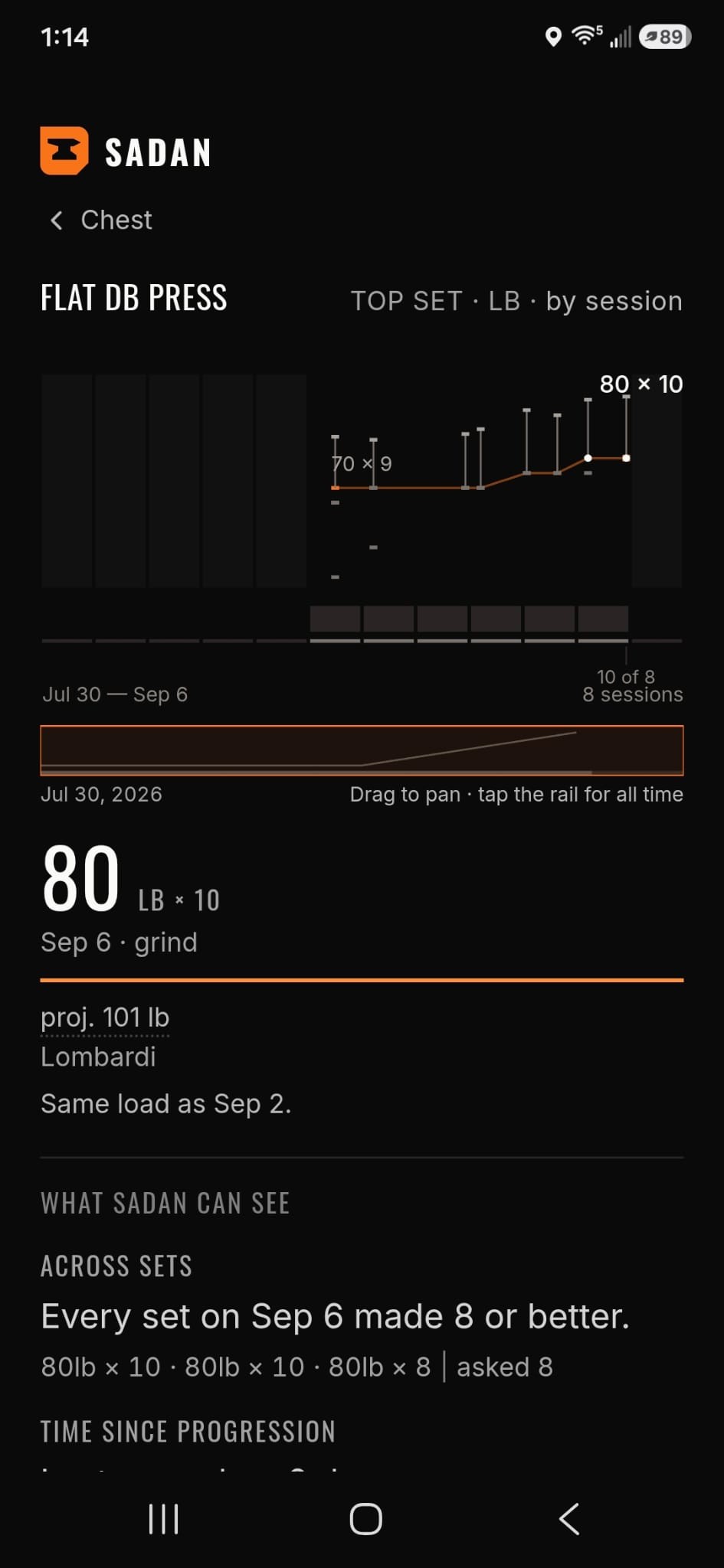
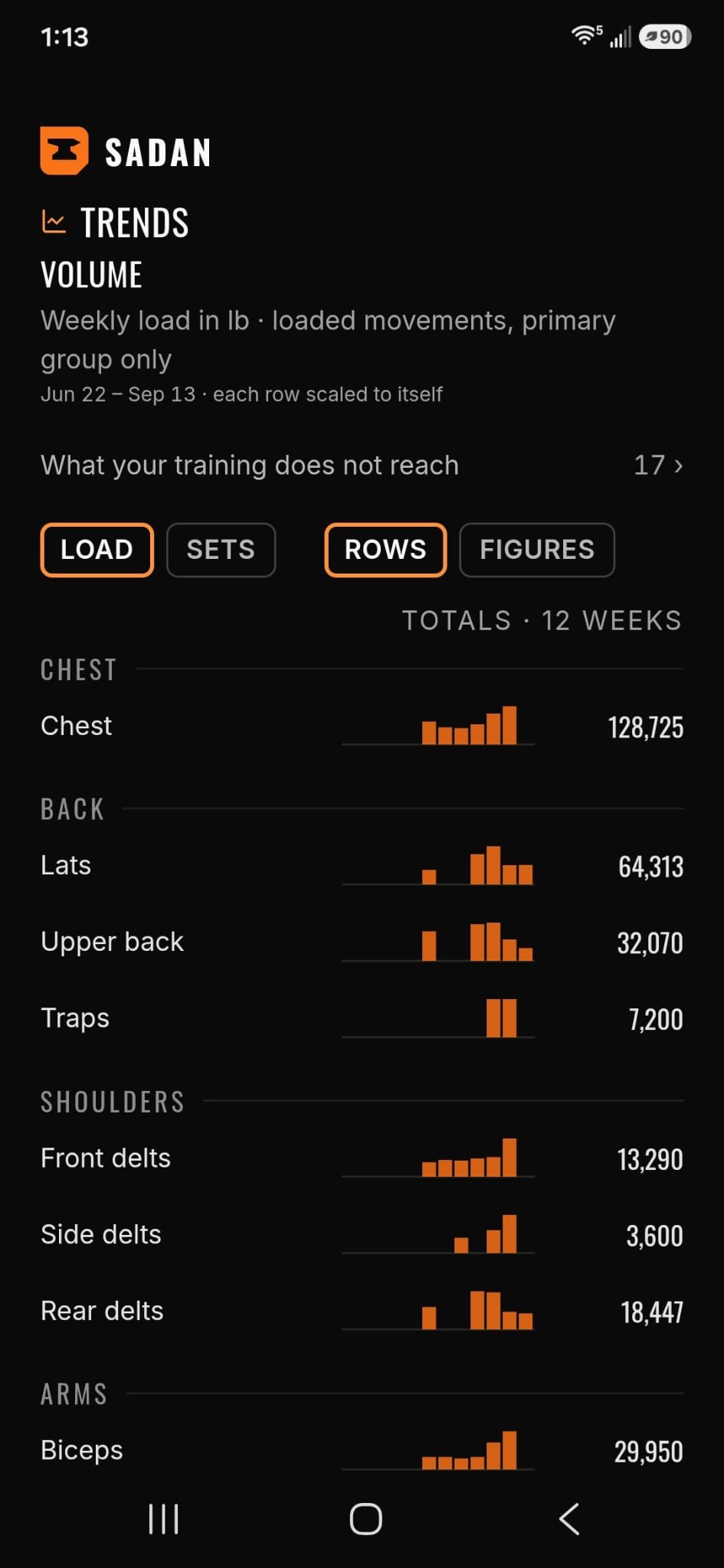
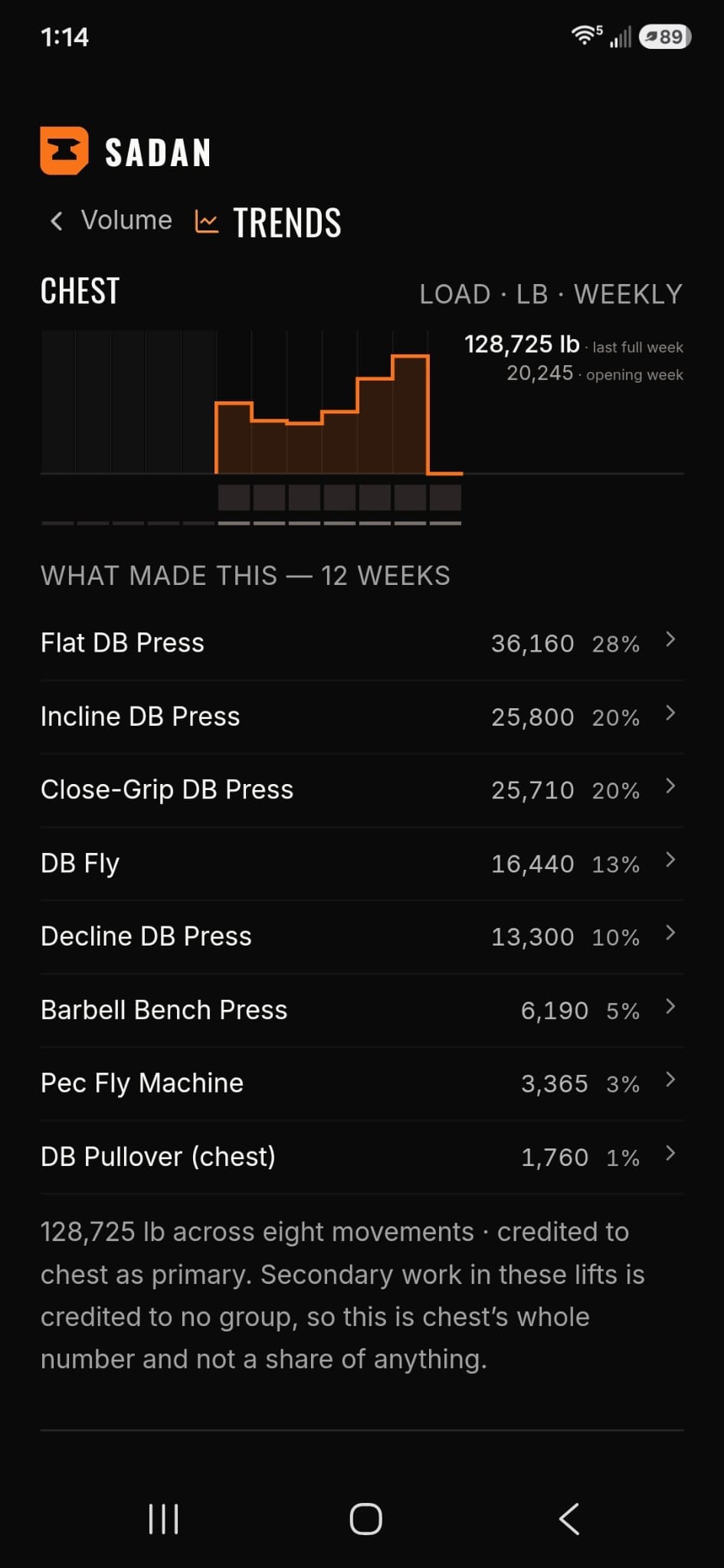
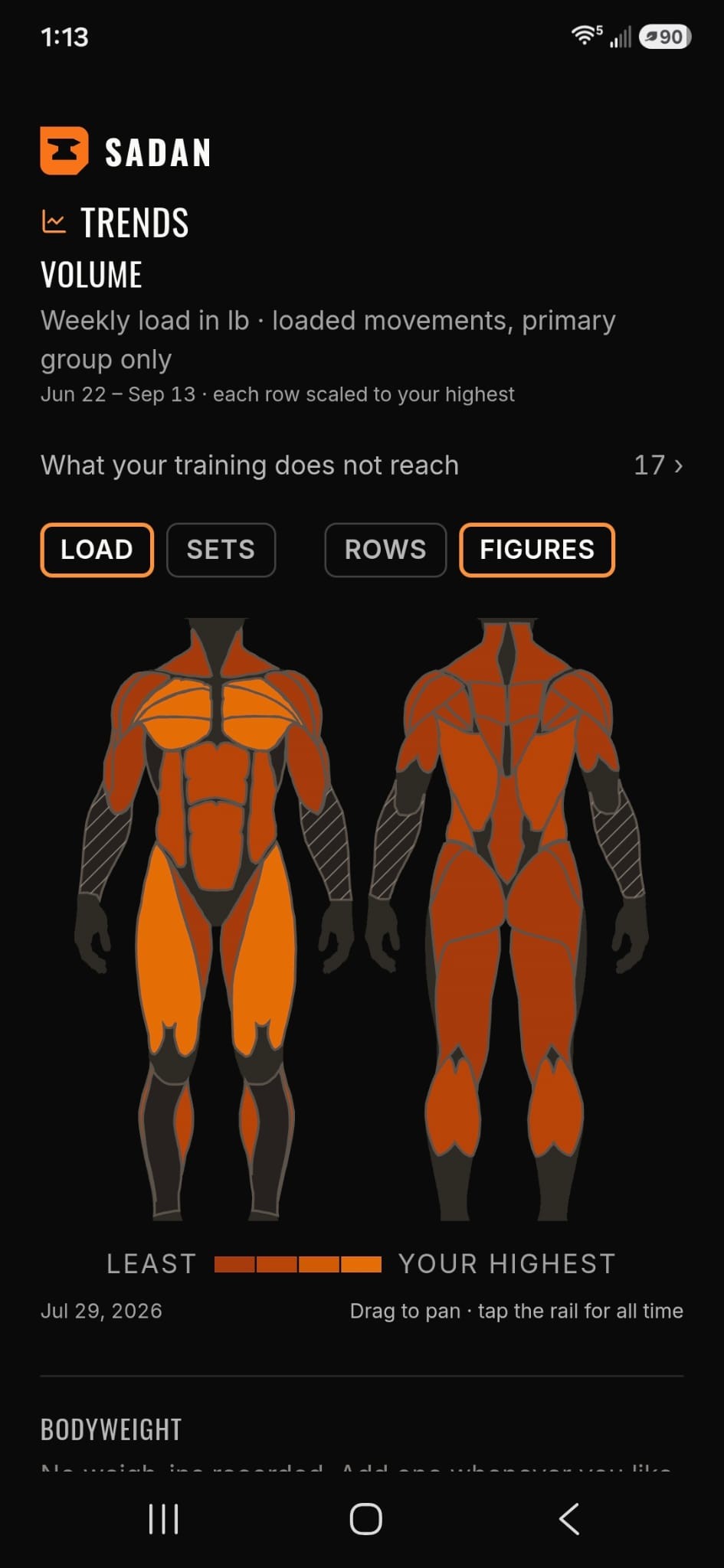
If you disagree, you can go see what it was reading.
Volume, progression per lift, and projected one-rep maxes estimated from the sets you logged. Every proposal is built on trends you can look at yourself.
03 Repeat
Squat · Deadlift · Bench · Press
Every rep
is a strike.
The bar is the anvil. You are the hammer. Strike. Recover. Repeat.
SADAN — every rep is a strike.
The proposal
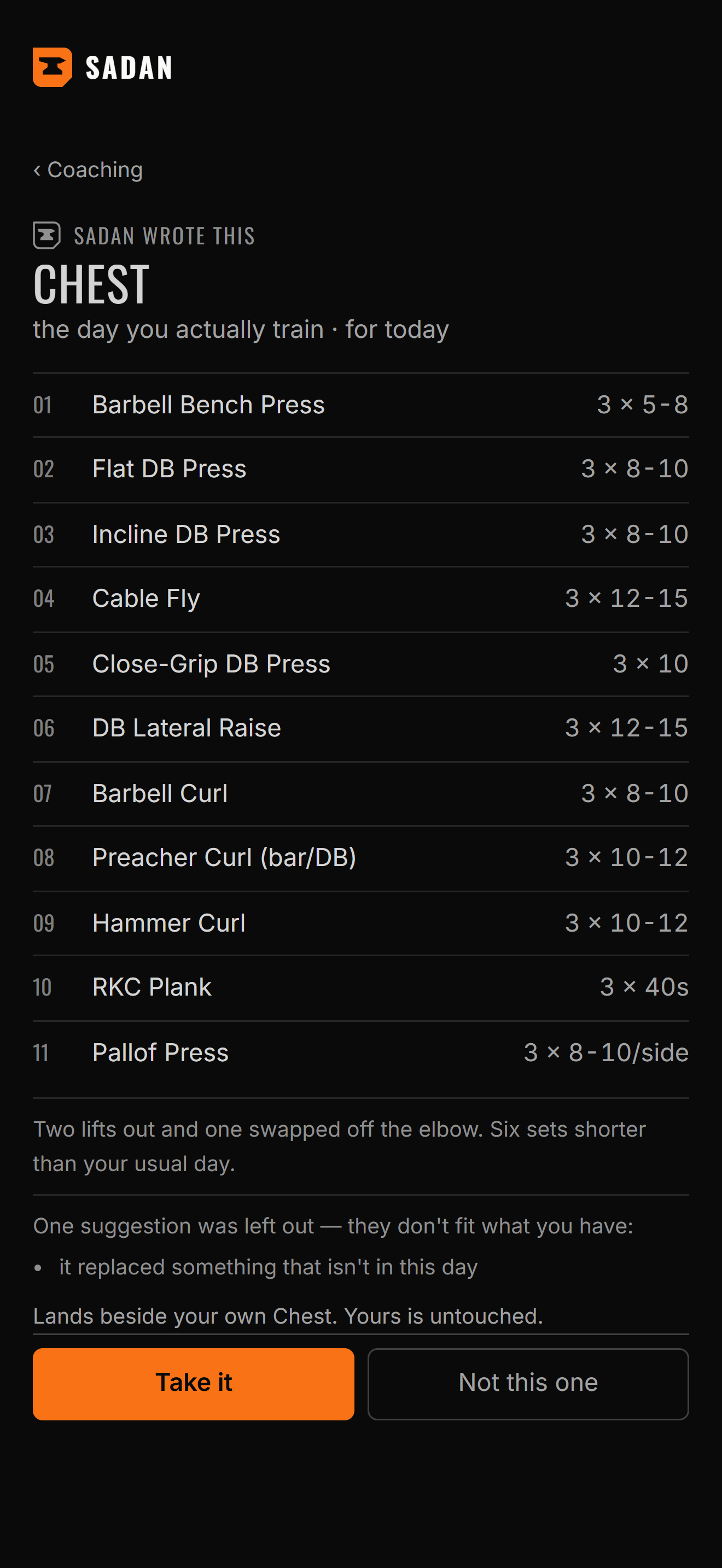
It makes a case. It doesn't issue orders.
Every suggestion is a proposal. You accept it, edit the number, or reject it, and nothing in your plan changes until you do.
Take it. Not this one. Skip the read entirely and the app is still a clean training log. A second opinion at the end of a session — not a boss at the start of one.
The record
It stays on your phone
Your history stays on your phone. Nothing is sent unless you turn it on.
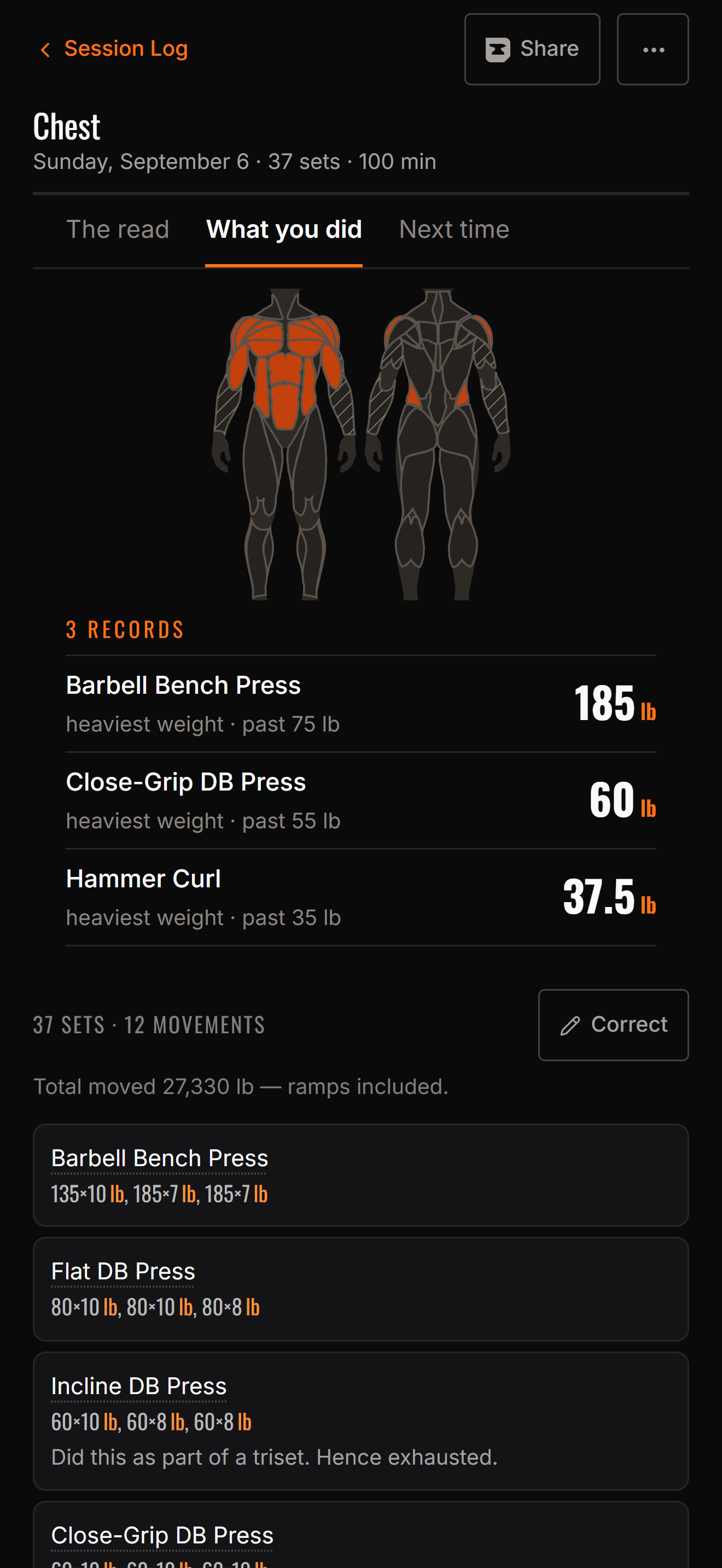
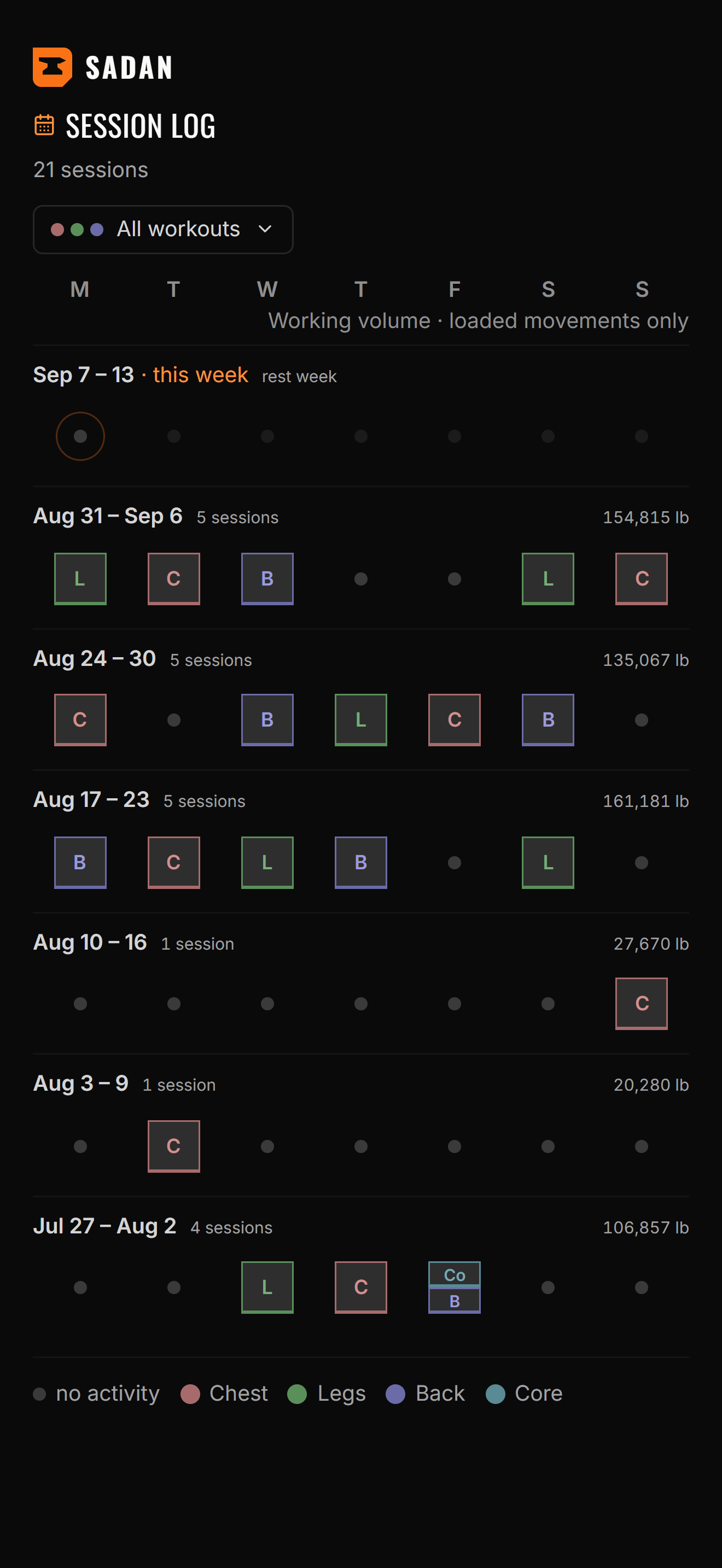
It shows its work.
Then it waits for you.
Details
- 01
Logging that keeps up with you
Weight, reps, and how the set felt. The screen is always about the set you just did — no forms to fill out between rounds, no fighting a timer to get a number in.
- 02
A read on the session — and a case for the next one
Ask for a read and Sadan summarizes what happened, then makes its case for what to do next, down to the working weights. It doesn't issue orders. Skip it entirely and the app is still a clean training log.
- 03
The numbers behind the suggestion
Every proposal is built on trends you can look at yourself — volume, progression per lift, and projected one-rep maxes estimated from the sets you logged. If you disagree with a suggestion, you can go see what it was reading.
- 04
Pair with your own coachComing
A trainer will be able to pair with you and see the same record and the same reasoning you do. It will work whether you're on the free tier or paying — your coach shouldn't be a feature you have to buy.
- 05
It remembers what you told it
Record an injury or a movement you're avoiding and it stays respected — no suggestion will quietly walk you back into it.
- 06
Your training record stays on your device
It stays on your phone. Nothing is sent unless you turn that path on:
- —A session summary, when you ask for a read — sent to Anthropic. They don't train on it, and they delete it within thirty days.
- —A copy to our server, if you turn on backup.Coming
- —Whatever you choose to post, if you use the social side.Coming
- —Your record, with a trainer you pair with.Coming
- 07
Honest about limits
Sadan is a training tool, not medical advice. It doesn't diagnose or treat anything, and it says so plainly rather than burying it. Anything to do with pain or injury belongs with a qualified professional.
Who it's for
A good fit
- —You've been lifting long enough to have opinions about your own training.
- —You follow a program and want something that tracks it without arguing with you.
- —You want a second opinion at the end of a session, not a boss at the start of one.
Probably not
- —If you want a workout handed to you every day with no say in it, there are better apps for that.
- —If you're training around an injury, see a professional first. Sadan will tell you the same thing.
Questions
- What's free, and what's Sadan Plus?
- Free is the record: logging, your full history, and the charts of what you actually did. Plus is everything derived from it — the reads, the prescribed sessions, projected one-rep maxes, and progression over time. The principle is that we charge for what the app works out, never for what you lifted.
- What does it cost right now?
- Nothing. Plus is unlocked for everyone during the beta, and becomes a monthly subscription at 1.0. Your training record is yours either way, free tier or not.
- Does it need an account?
- No. Open it and start logging.
- Does it work without a connection?
- Logging does — that's all local, and it's most of what you do in the app. Asking for a read needs a connection, because that's the part that leaves the device. Backup, coach pairing, and social will each need one too, and each will be yours to turn on.
- Is my training data used to train an AI?
- No. When you ask for a read, a session summary goes to Anthropic. They don't train on it, and they delete it within thirty days. Your full record stays on your device. The privacy policy and consumer health data policy spell out the details, and govern if anything here reads differently.
- Will it replace my coach?
- No, and it shouldn't. A coach watches you move. Sadan reads numbers you typed in.
- Is this medical advice?
- No. Sadan is not a medical device and gives no medical advice. It doesn't diagnose, treat, or rehabilitate anything.
Support
sadan@wapniaklabs.comQuestions, bugs, or a suggestion the app got wrong — write in. A person reads it. More ways to reach us on the support page.
The next session
Request a beta invite
The Android beta is running now, invite only. Leave an email — it comes to us. A person reads it.